Introduction
In 2025, AI image generator comparison is a hot topic among creators, marketers, and developers. These text-to-image AI tools have evolved so rapidly that what once required skill and software now takes seconds and prompts.
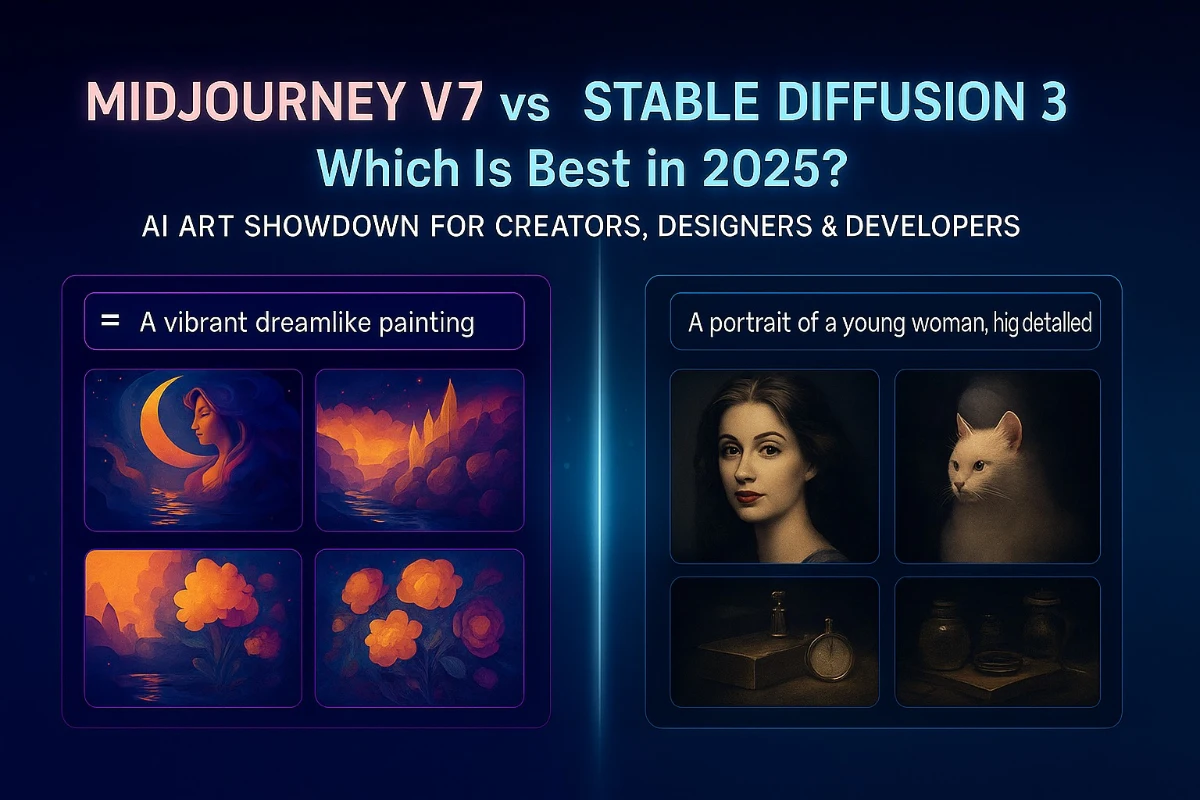
Enter two giants: Midjourney v7 and Stable Diffusion 3. With Midjourney 2025 features, users get cinematic, stylized images almost instantly. On the other hand, the Stable Diffusion 3 review shows that this open-source platform gives professionals serious Stable Diffusion customization—from model training to offline workflows.
When asking “Which AI tool is better?”, think of Midjourney as an artistic speedster, and Stable Diffusion as a detail-oriented craftsman. This in-depth blog compares them across multiple dimensions—image quality, usability, control, price, and user scenarios—so you can make the best choice or even combine both for maximum creative efficiency.
1. What is Midjourney v7?
Midjourney v7 is the latest release in the Midjourney family, widely recognized for generating high-impact, stylized visuals with minimal input. Users can work through Discord or the new official web UI.
Pros
- No installation—start creating immediately
- Quicker output—typically four visuals per prompt
- Ideal for marketing, social media, and concept art
- Simple prompts deliver polished results
- Supports both Discord and web interaction
Cons
- Requires a paid plan (from $10/month)
- No ability to edit images post-creation
- Always needs an internet connection
- Doesn’t support plugins or offline use
- Makes errors with text—words appear distorted
YouTube Tutorial
2. What is Stable Diffusion 3?
Stable Diffusion 3 is a powerful, open-source AI image generator by Stability AI. It runs locally or via multiple GUIs, offering unmatched Stable Diffusion customization such as ControlNet, LoRA, and DreamBooth.
Pros
- Fully free and open-source
- Functions offline for privacy and flexibility
- Supports advanced workflows via ControlNet and LoRA
- Post-generation editing (inpainting, negative prompts)
- Multiple GUIs to match user preference
Cons
- Requires setup: GPU, Python, software installation
- Learning curve: prompts, model management
- GUI interfaces vary in features
- High-quality images require more fine-tuning
YouTube Tutorial
3. Image Quality Comparison
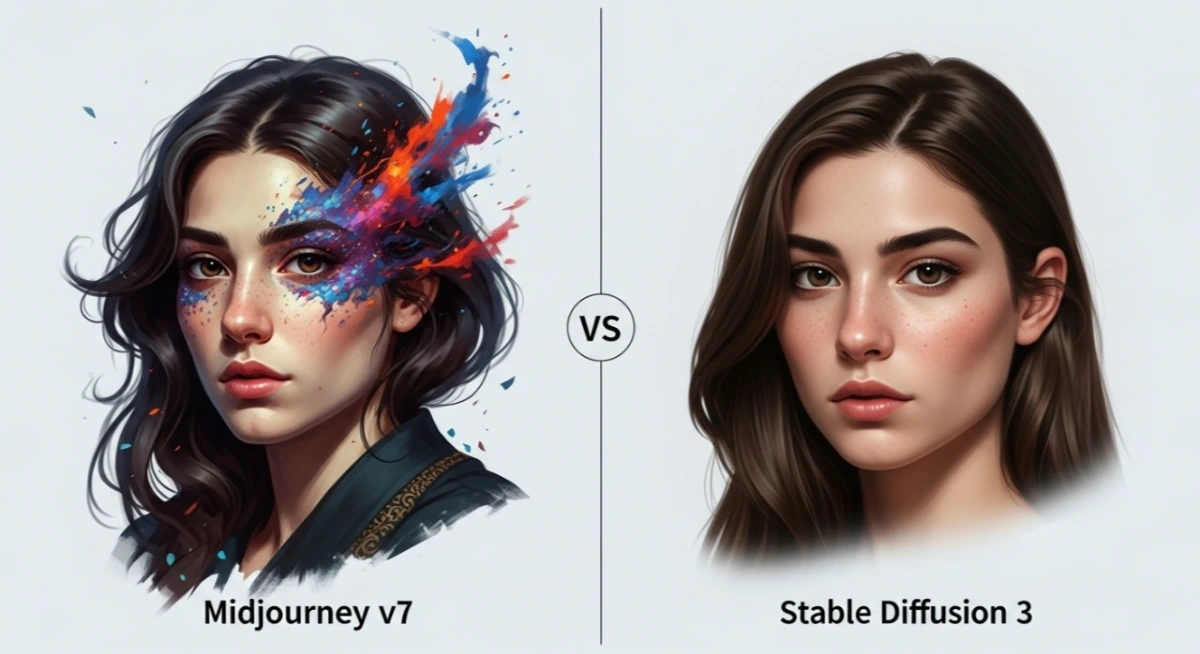
If you need visuals that “pop,” Midjourney v7 is unmatched—featuring dramatic light, bold color, and artistic flair. However, Stable Diffusion 3 excels at editable realism, letting you control details like facial expressions, shading, or textures via ControlNet and inpainting.
Verdict:
- Choose Midjourney for stylized, fast visuals
- Choose Stable Diffusion for realism and editability
4. Ease of Use
- Midjourney v7: access content instantly via Discord or web—no installations, no GPU setup.
- Stable Diffusion 3: requires installing model, managing GPU, selecting GUI, and mastering prompts.
Best for beginners: Midjourney
Best for experienced users or studios: Stable Diffusion 3
5. Customization and Flexibility
- Midjourney offers control via prompt complexity and style modifiers
- Stable Diffusion shines in creative control, allowing:
-
- Structural control via ControlNet
- Style applications via LoRA
- Personal model training via DreamBooth
- Inpainting for image edits
- Custom samplers or resolution settings
Video on control comparison
6. Side-by-Side Comparison Table
| Feature | Midjourney v7 | Stable Diffusion 3 |
| Cost | Subscription only ($10–$60/month) | Free, optional compute fees |
| Setup | No setup, web or Discord-based | Local install, GPU required |
| Ease of Use | Very easy for beginners | Technical setup needed |
| Speed | Seconds per image | Seconds to minutes, depending |
| Visual Style | Cinematic, artistic | Realistic, fully editable |
| Editability | None | Inpainting, prompt sensitivity |
| Customization | Style prompts | ControlNet, LoRA, DreamBooth |
| Offline Use | No internet = no access | Works fully offline |
| Extensibility | Limited options | Highly modular system |
| Ideal Users | Creatives, social marketers | Developers, graphic artists |
7. Use Case Scenarios
| Scenario | Best Tool |
| Social media graphics | Midjourney v7 |
| Visual concept art | Midjourney v7 |
| Photorealistic product renders | Stable Diffusion 3 |
| Closed-environment projects | Stable Diffusion 3 |
| Custom style model creation | Stable Diffusion 3 |
| Rapid prototyping, then editing | Midjourney → Stable Diffusion 3 |
Pro Tip: Start creative exploration with Midjourney, then use Stable Diffusion for final editing and precision work.
8. Final Verdict
The verdict comes down to your needs:
- Choose Midjourney v7 for speed, ease, and impactful visuals
- Choose Stable Diffusion 3 for realism, editing power, and privacy
Smart 2025 workflow: Generate with Midjourney. Polish with Stable Diffusion.
FAQs
Q1: Is Midjourney v7 free to use?
No—Midjourney requires a subscription starting at $10/month. A trial period may sometimes be offered, but it’s always limited.
Q2: Can I use Stable Diffusion 3 without internet?
Absolutely—once installed locally, it can be used offline without restrictions.
Q3: Which is more beginner-friendly?
Midjourney is faster to learn and requires no setup. Stable Diffusion provides depth but is more technical.
Q4: Which tool produces more realistic images?
Stable Diffusion 3 has the advantage in realism thanks to editable tools and model training. Midjourney focuses on stylized visuals.
Q5: Can I train the AI on my own images?
Yes—Stable Diffusion supports personal model training via LoRA and DreamBooth. Midjourney does not offer that feature.
Conclusion
By 2025, Midjourney v7 and Stable Diffusion 3 offer complementary strengths:
- Midjourney: instant, beautiful visuals with minimal effort
- Stable Diffusion: robust control, realism, and offline flexibility
Many professionals now combine both: ideate in Midjourney, sculpt in Stable Diffusion, and produce powerful outcomes. Choose your path, build your workflow—and start creating in a way that’s uniquely yours.
![AI Life Autonomous Personas – 5 Game-Changing Trends [2025]](https://inovrex.com/wp-content/uploads/2025/11/AI-Life-Autonomous-Personas-–-5-Game-Changing-Trends-2025.webp)
![GPT-5 Powers Real-World AI Smarts [2025]](https://inovrex.com/wp-content/uploads/2025/08/WhatsApp-Image-2025-08-22-at-12.59.10_827e8782.jpg)